First: Is this a system incident? Open the app and check if there's a banner indicating a technical incident. If there is, the issue is known — no action needed.
Few alerts vs. zero alerts: If you're receiving no alerts at all, see the article "Why am I not receiving any alerts? (DVR/Server Issues)" below.
Compare with colleagues: Ask a colleague at the same store if they're also getting a few alerts. If they're getting more, the issue may be with your personal notification settings.
Check the archive: Make sure no one has already qualified the alerts — after qualification, alerts disappear from the main feed but remain available in the archive.
Our AI focuses on genuinely suspicious gestures. Lower volume but higher precision is a sign of good configuration.
Is your store busy? Low movement reduces alert volume — store foot traffic directly impacts how many alerts you receive (fewer visitors naturally means fewer alerts).
Check:
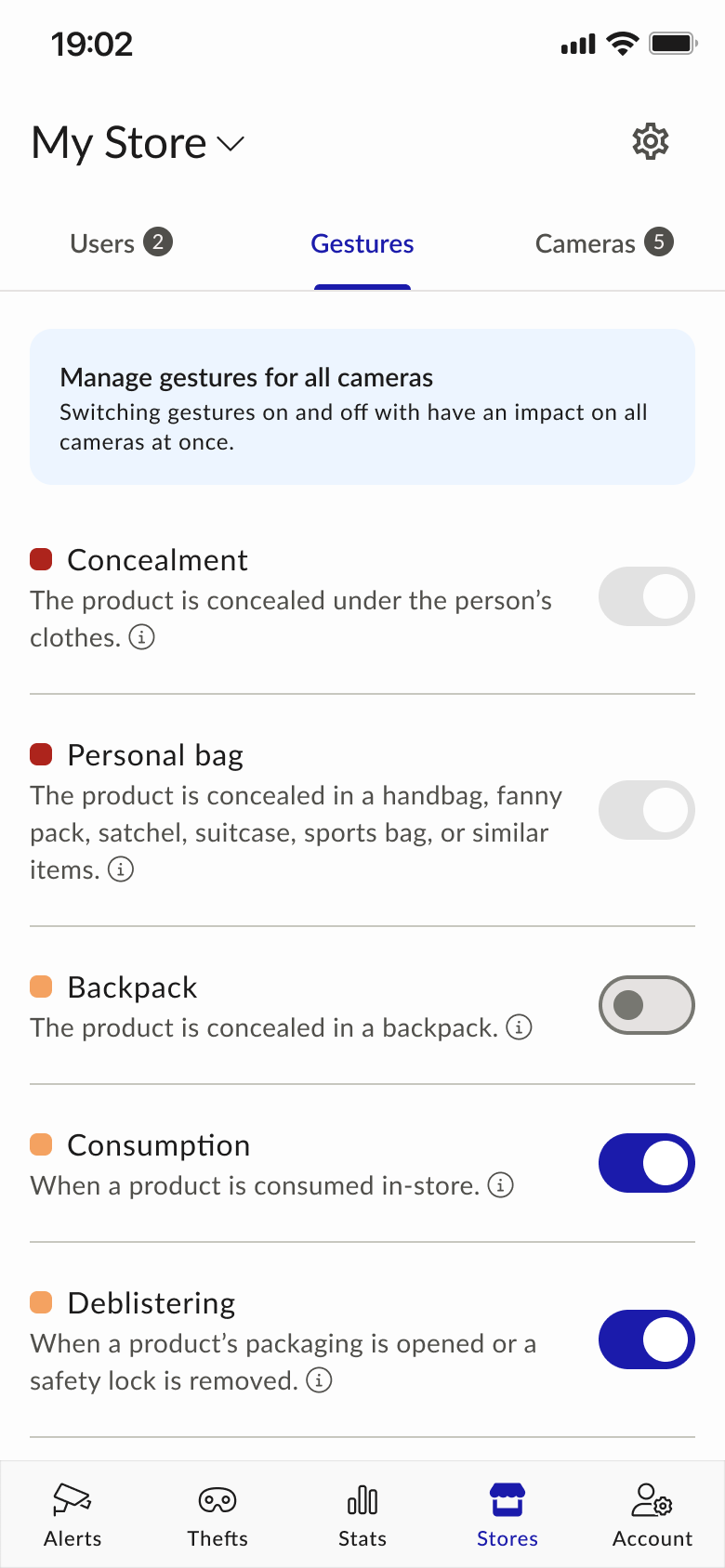
- Gesture Settings: Stores → Gestures — preset mode (Essential, Moderate, Maximum) or Expert mode. For more alerts: Essential → Moderate, or Moderate → Maximum.
- Camera Monitoring: Stores → Cameras — confirm they're all on.
- Opening Hours: Stores → Opening Hours: Check that it's correct.
- Report a missed alert? Report it via Accounts → Declare an Undetected Gesture.
- Check Notification Settings on your phone: You may be receiving alerts, but your phone notifications may be disabled or filtered too heavily. See the Notification Management section below.