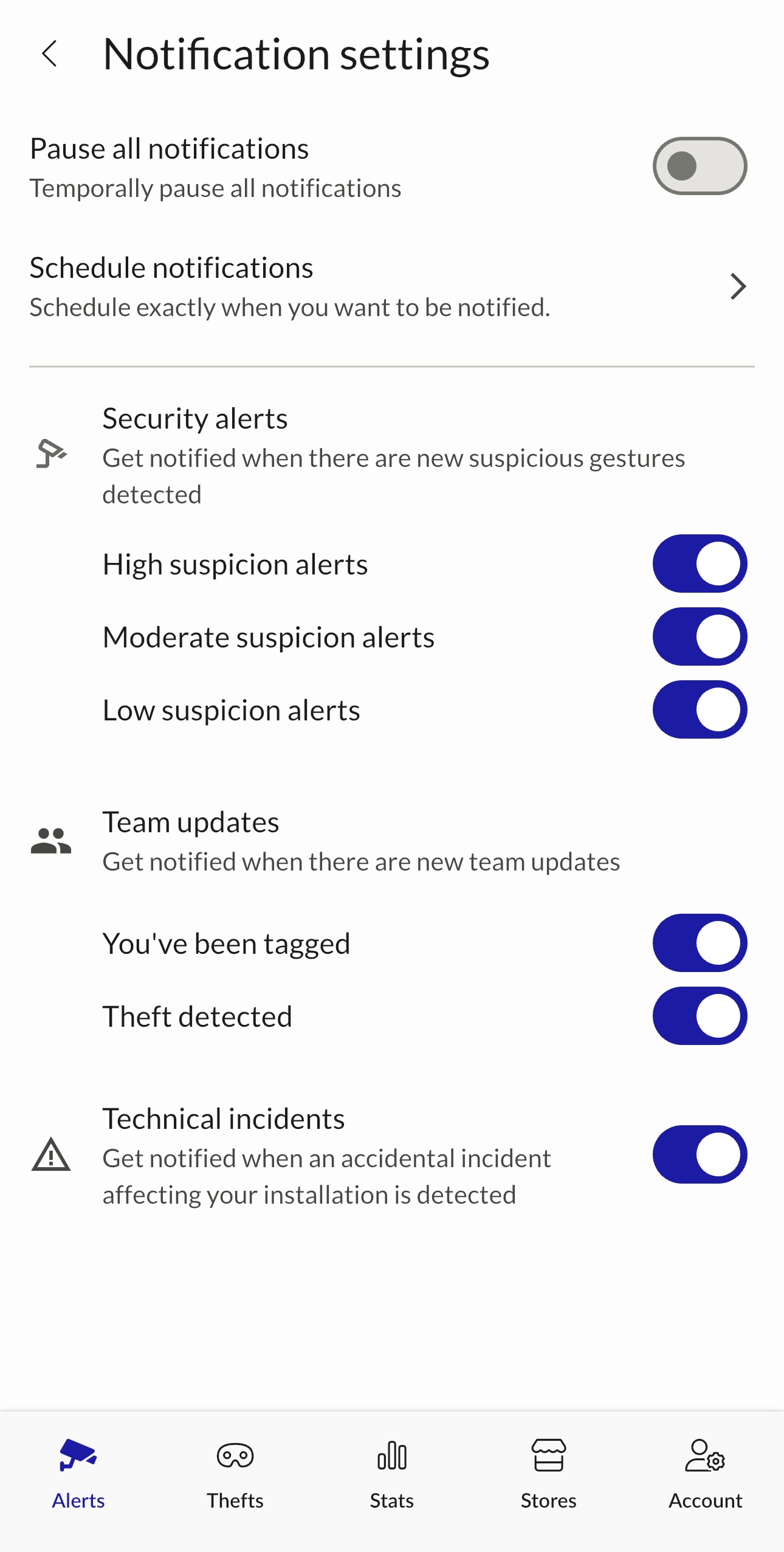
Go to Notifications Settings:
1. Security Alerts:
- High suspicion alerts
- Moderate suspicion alerts
- Low suspicion alerts
2. Team updates:
- Confirmed Theft
- You've been tagged
All categories can be toggled on or off — even High suspicion alerts. You can even receive only "Confirmed Theft" notifications.
Recommendation: If you're feeling overwhelmed, we strongly recommend enabling only High suspicion alerts and Confirmed Theft as a first step.
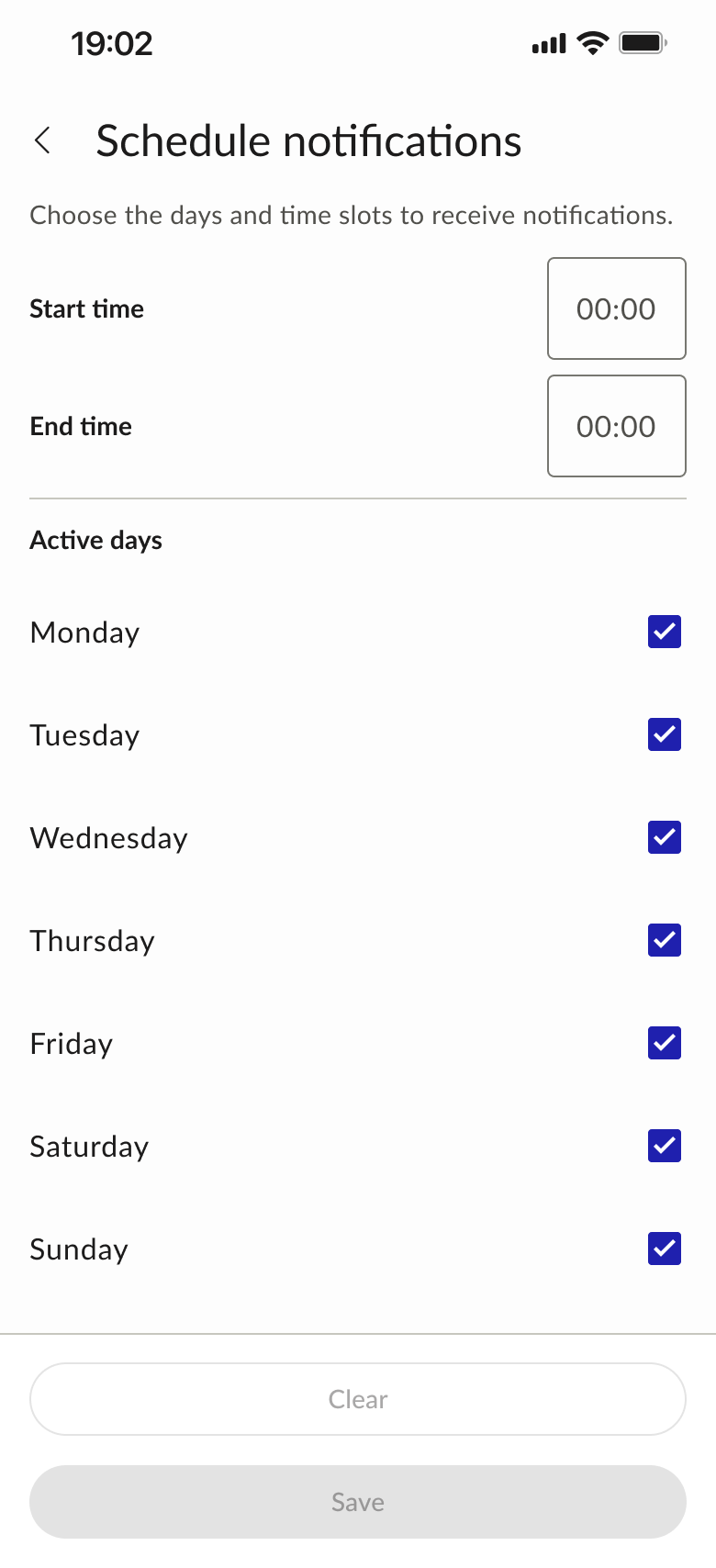
3. Schedule your notification hours.
🎬 See it in action: Follow this interactive tutorial on notification scheduling to set up your notification times step by step.
!Schedule notifications — start/end time and days
4. Temporarily pause all notifications (2h, 4h, 8h or for ever).
!Pause notifications modal — 2h / 4h / 8h / Until reactivation
Important: This does NOT change store-level gesture settings.